Creating a home office space that is both comfortable and productive can make a significant difference in your work-from-home routine. Whether you’re working remotely full-time or occasionally, a well-designed workspace helps maintain focus, reduce stress, and improve overall job satisfaction. In this post, we’ll explore actionable tips to help you set up an ideal home office environment.
Choose the Right Location
The first step in establishing a productive home office is selecting the best spot in your home. Ideally, this should be:
– Quiet and private: Look for a room or corner away from high-traffic areas to minimize distractions.
– Well-lit: Natural light boosts energy and mood. Aim for a space near a window if possible.
– Adequate size: Ensure there is enough room for your desk, chair, and any necessary equipment without feeling cramped.
If space is limited, consider creative solutions like a foldable desk or a designated workstation in a less conventional area.
Invest in Ergonomic Furniture
Comfort plays a key role in productivity. An ergonomic setup reduces strain and helps maintain good posture throughout long workdays.
– Chair: Choose an adjustable office chair with good lumbar support. Your feet should rest flat on the floor while your knees are at about a 90-degree angle.
– Desk: Select a desk at a height where your forearms are parallel to the floor when typing. Adjustable desks or standing desks can offer flexibility throughout the day.
– Monitor placement: Position your monitor at eye level about an arm’s length away to reduce neck and eye strain.
Taking time to adjust your furniture properly can prevent discomfort and fatigue.
Organize Your Workspace
A clutter-free environment supports clear thinking and efficiency.
– Declutter regularly: Remove unnecessary items from your desk daily.
– Use storage solutions: Utilize shelves, drawers, and organizers to keep supplies within easy reach but out of sight.
– Cable management: Tidy up cords with clips or sleeves to avoid a tangled mess.
Organizing your home office will make it easier to focus on your tasks and reduce stress.
Optimize Lighting
Good lighting is crucial for maintaining alertness and preventing headaches.
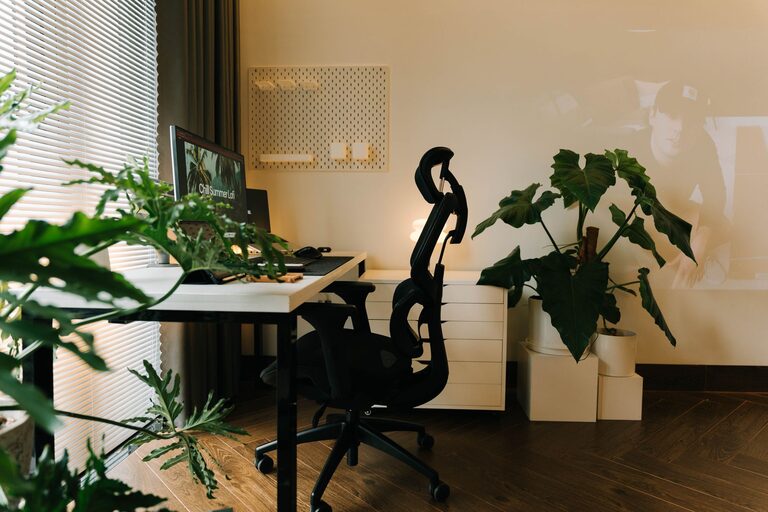
– Maximize natural light: Position your desk near windows, but avoid glare on your screen by using curtains or blinds.
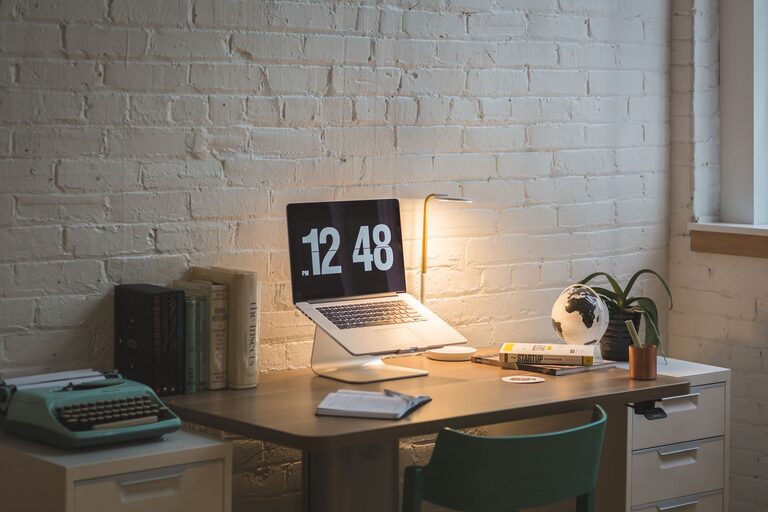
– Add task lighting: A desk lamp with adjustable brightness helps when natural light is insufficient, especially during evening hours.
– Choose the right bulbs: Soft white or daylight bulbs create a warm yet energizing atmosphere.
Proper lighting reduces eye strain and helps maintain concentration.
Personalize Your Space
Adding personal touches can make your workspace more inviting without causing distraction.
– Decor: Select artwork or photos that inspire you.
– Plants: Incorporate greenery to boost mood and improve air quality.
– Colors: Use calming or motivating colors such as blues, greens, or soft neutrals.
A personalized, pleasant environment makes working from home more enjoyable.
Minimize Distractions
Maintaining focus can be challenging at home, so consider strategies to limit interruptions.
– Set boundaries: Communicate work hours with family or roommates.
– Use noise-cancelling headphones: These help block out background noise.
– Limit digital distractions: Turn off non-essential notifications during work periods.
Creating a distraction-free zone supports sustained productivity.
Maintain Healthy Habits
Your physical and mental well-being directly affect your workflow.
– Take breaks: Use techniques like the Pomodoro method to encourage regular short breaks.
– Stay hydrated and nourished: Keep water and healthy snacks nearby.
– Move regularly: Stand, stretch, or walk to avoid stiffness and improve circulation.
Healthy habits help you stay energized and focused throughout the day.
Technology and Connectivity
Reliable technology is vital for a smooth remote work experience.
– Strong internet connection: Ensure your Wi-Fi or wired connection is stable and fast.
– Essential devices: Invest in quality hardware such as a laptop, printer, headset, and webcam if needed.
– Software: Use productivity tools that fit your workflow and keep your system updated for security.
Proper technology reduces frustrations and keeps you connected.
—
Creating a comfortable and productive home office takes some planning but yields rewarding results. By choosing the right location, investing in ergonomic furniture, organizing your space, and maintaining healthy habits, you can design a workspace that enhances focus and well-being. Start with these tips today and transform your home office into a place where you can work efficiently and comfortably.