
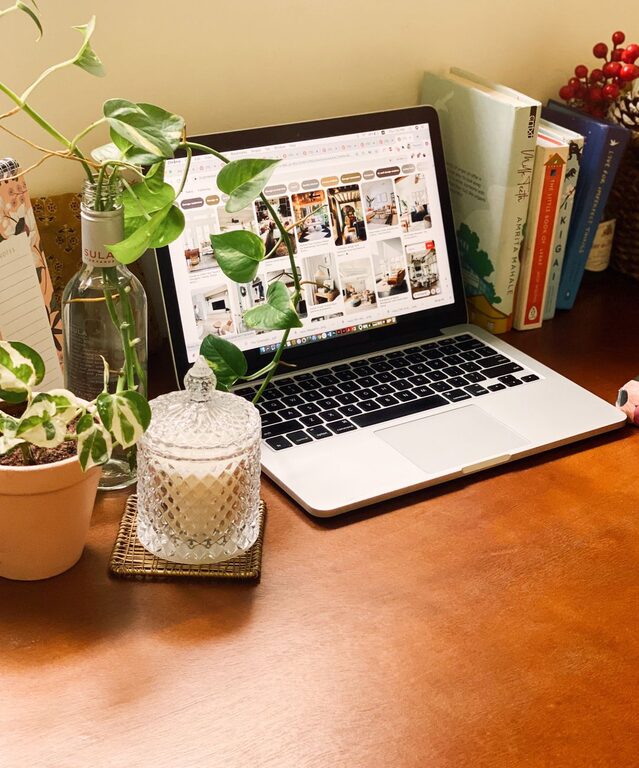
Creating a cozy and inviting home workspace is essential for productivity, comfort, and overall well-being. Whether you’re working remotely full-time or occasionally catching up on tasks, the environment where you spend your working hours affects your mood and efficiency. In this post, we will share practical tips to design a home workspace that feels warm, welcoming, and functional.
Why a Cozy Workspace Matters
When your workspace feels comfortable and personalized, it encourages focus and reduces stress. A well-designed workspace can improve your motivation, creativity, and health by minimizing distractions and physical discomfort. Let’s explore how to create an inviting space tailored to your needs.
Choose the Right Location
Find a Quiet Spot
Select a spot in your home with minimal noise and foot traffic. This helps reduce distractions and creates a sense of calm. If possible, use a separate room or a corner away from busy areas like the kitchen or living room.
Optimize Natural Light
Position your desk near a window to benefit from natural light. Sunlight boosts mood and energy levels, leading to better focus. If natural light is limited, invest in soft, warm artificial lighting to create a soothing atmosphere.
Select Comfortable and Functional Furniture
Invest in a Good Chair
A comfortable, ergonomic chair supports your back and posture during long hours of sitting. Look for chairs with adjustable height, lumbar support, and sufficient padding.
Choose a Desk that Fits Your Space
Choose a desk that matches the size of your room and meets your working needs. For smaller spaces, consider desks with built-in storage or foldable models that can be tucked away when not in use.
Personalize Your Space with Decor
Add Plants
Plants bring life to your workspace, improve air quality, and add calming greenery. Easy-care plants like succulents, pothos, or snake plants are great for beginners.
Use Warm Textiles
Incorporate cozy elements like a soft rug, cushions, or a throw blanket. These add texture and warmth, making the space comfortable even during long working sessions.
Display Personal Items
Keep a few meaningful items on your desk or shelves, like photos, artwork, or inspirational quotes. Personal touches make the space uniquely yours and boost morale.
Organize for Efficiency and Calmness
Declutter Regularly
Keep your workspace tidy by regularly removing unnecessary items. A clutter-free desk helps maintain focus and reduces anxiety.
Use Storage Solutions
Use shelves, drawers, baskets, or desk organizers to keep supplies and documents in order. Label storage containers to easily find what you need without creating a mess.
Manage Cables
Keep cables and chargers organized using clips, sleeves, or cable boxes, avoiding a tangled and distracting mess.
Pay Attention to Lighting and Sound
Layer Your Lighting
Combine overhead lighting, task lamps, and ambient lights to reduce eye strain and create a pleasant atmosphere. Adjustable lamps allow you to control the brightness based on your tasks.
Control Noise Levels
Use noise-canceling headphones or add soft textures like curtains and rugs to absorb sound. If ambient noise is an issue, consider playing white noise or calming instrumental music.
Establish a Routine and Boundaries
Set Work Hours
Clearly define when your workday starts and ends, especially when working from home. This helps you stay focused and prevents burnout.
Create a Morning Ritual
Incorporate simple routines like making coffee, lighting a candle, or tidying your desk before starting work. These small actions signal your brain to shift into work mode.
Take Regular Breaks
Step away from your desk every hour to stretch, move, and rest your eyes. A comfortable workspace supports healthy habits by making breaks feel inviting, whether it’s for a quick walk or enjoying a snack.
Incorporate Technology Thoughtfully
Use Ergonomic Accessories
Consider tools like a keyboard tray, wrist rests, or a monitor stand to improve ergonomics and comfort.
Optimize Screen Setup
Position your monitor at eye level and about an arm’s length away. This reduces neck and eye strain for longer periods of work.
Final Thoughts
Designing a cozy and inviting home workspace doesn’t require a major overhaul. By focusing on comfort, personalization, good organization, and lighting, you can create an environment that supports productivity and well-being. Take your time customizing your space—it should be a place that feels both functional and welcoming as you tackle your daily tasks.
With these tips in mind, you’re well on your way to building a home workspace that makes working from home not just productive, but also enjoyable.